Disclosure: This article contains affiliate links to kie.ai (ad), eRank (ad), and VectorMagic (ad). AutoKeyWorder links are to our own product (ad). All affiliate relationships are marked.
Most people who try selling AI art on Etsy start with icon bundles. 50 tiny SVGs for $2.99. Hours of work for a couple dollars per sale.
T-shirt designs are different. Five premium designs in a bundle. €4.99 retail. Each design takes 2 minutes to generate and 5 minutes to vectorize. The math works out to roughly $12/hour of actual work, and that’s before repeat sales start compounding.
Here’s the exact workflow we use to go from a blank screen to a listed Etsy SVG bundle in under 30 minutes.
What a 5-Design T-Shirt Bundle Earns
We scraped 30 competing Etsy listings in the streetwear typography niche. The median price was €3.84. Our pricing:
- Launch price: €2.99 (drives first 50 reviews)
- Retail price: €4.99 (after reviews are established)
- Per-design value: ~€1 per design
- Total production cost: under $1 (generation + vectorization)
T-shirt SVGs command higher per-unit prices than icon bundles because each design is a standalone product. Buyers use them for Cricut heat transfers, sublimation printing, and print-on-demand storefronts. One good design is worth more than 50 generic icons.
The Complete Workflow
Theme → Ideogram V3 → VectorMagic → Etsy Listing
Five steps. Each one is specific enough to follow without guessing.
If you want the AI to handle concept design and prompt writing automatically, try the T-Shirt Design Pipeline (ad, own product). It runs this entire workflow with one click. But this article walks through each step manually so you understand what’s happening.
Step 1: Pick a Niche That Sells
Don’t guess. Use eRank (ad) to see what keywords Etsy buyers actually search for. It shows search volume, competition scores, and trending terms. The Etsy Search Term Explorer (requires Etsy+ subscription) adds even more depth. What you’re looking for:
- High searches, low results = underserved demand
- Specific sub-niches beat broad categories (“streetwear typography tees” beats “t-shirt designs”)
- Transactional keywords with “svg”, “bundle”, “cricut” in them signal buyers, not browsers
We tested “streetwear typography tshirt.” Strong search volume, moderate competition, and the top listings were basic. Room to do better.
For a deeper look at Etsy product research, see our guide to selling digital products on Etsy.
Step 2: Write Prompts for Ideogram V3
Ideogram V3 is the model to use when your design has text. Recraft V4 and Seedream produce cleaner graphics, but they can’t render “REJECT MODERNITY” in an arched serif without garbling it. Ideogram V3 can.
The prompt formula is simple. Under 150 words. Text in quotes. One style phrase. Here’s a real example from our production batch:
Example prompt: Vintage badge emblem
Vintage circular badge emblem design on white background. Bold off-white circle outlined in heavy charcoal as base. Text: “REJECT MODERNITY” all caps, curved along the top arc in charcoal bold sans-serif. Text: “EMBRACE TRADITION” all caps, curved along the bottom arc in charcoal. Central motif: a stylized human skull facing forward in deep blood red with charcoal shading lines. Five small charcoal stars between the top and bottom arcs on each side. Distressed vintage badge style. Symmetrical centered composition for t-shirt chest printing. Limited to 3 colors: off-white, charcoal, blood red.
Example prompt: Stacked typography
Streetwear typography t-shirt design on white background. Text: “NO SLEEP” all caps in heavy condensed black sans-serif on the top line. Text: “TIL” all caps in smaller bold serif on the middle line in blood red. Text: “VICTORY” all caps in oversized condensed black display sans-serif on the bottom line, wider than the lines above. Stacked three-line composition, tightly kerned, slightly distressed grunge texture overlay. Bold urban poster style. Centered composition for chest printing. Limited to 3 colors: white, charcoal, blood red.
The rules that matter
- Text in the first 30% of the prompt. Ideogram weights early tokens more heavily for text rendering.
- Wrap every text string in “quotation marks.” This tells the model exactly what to render.
- Specify casing explicitly. “All caps” or “lowercase” or “small caps.” Don’t leave it to chance.
- Use placement verbs. “Curved along the top arc,” “centered on the middle line,” “stacked three-line composition.” These control layout.
- One style phrase. “Distressed vintage badge style” or “bold urban poster style.” Not a list of ten adjectives.
- Constraints go in the negative prompt. Ideogram V3 has a separate
negative_promptAPI parameter. Put “gradients, shadows, 3D effects, busy background” there, not in the main prompt.
Don’t want to write prompts manually? The free AI T-Shirt Prompt Generator (ad, own product) writes both the prompt and negative prompt for you. Type a concept, pick a style, get a production-ready prompt in seconds.
Step 3: Generate on kie.ai
kie.ai (ad) hosts Ideogram V3. Create an account, add credits, and use these settings:
- Model: Ideogram V3 (text-to-image)
- Style: DESIGN
- Rendering speed: QUALITY (best text accuracy)
- Size: Square HD (1:1 for t-shirt printing)
Cost is roughly $0.04 per image. A 5-design batch costs about $0.20 in generation.
What to check after generation
- Text accuracy. Zoom in. Every letter correct? Ideogram is good but not perfect. Short words under 10 characters render most reliably.
- Color separation. Are your 3 colors clean and distinct? No gradient bleed between them?
- Background. Pure white, no artifacts? This matters for vectorization.
Here are three designs from our actual production batch:

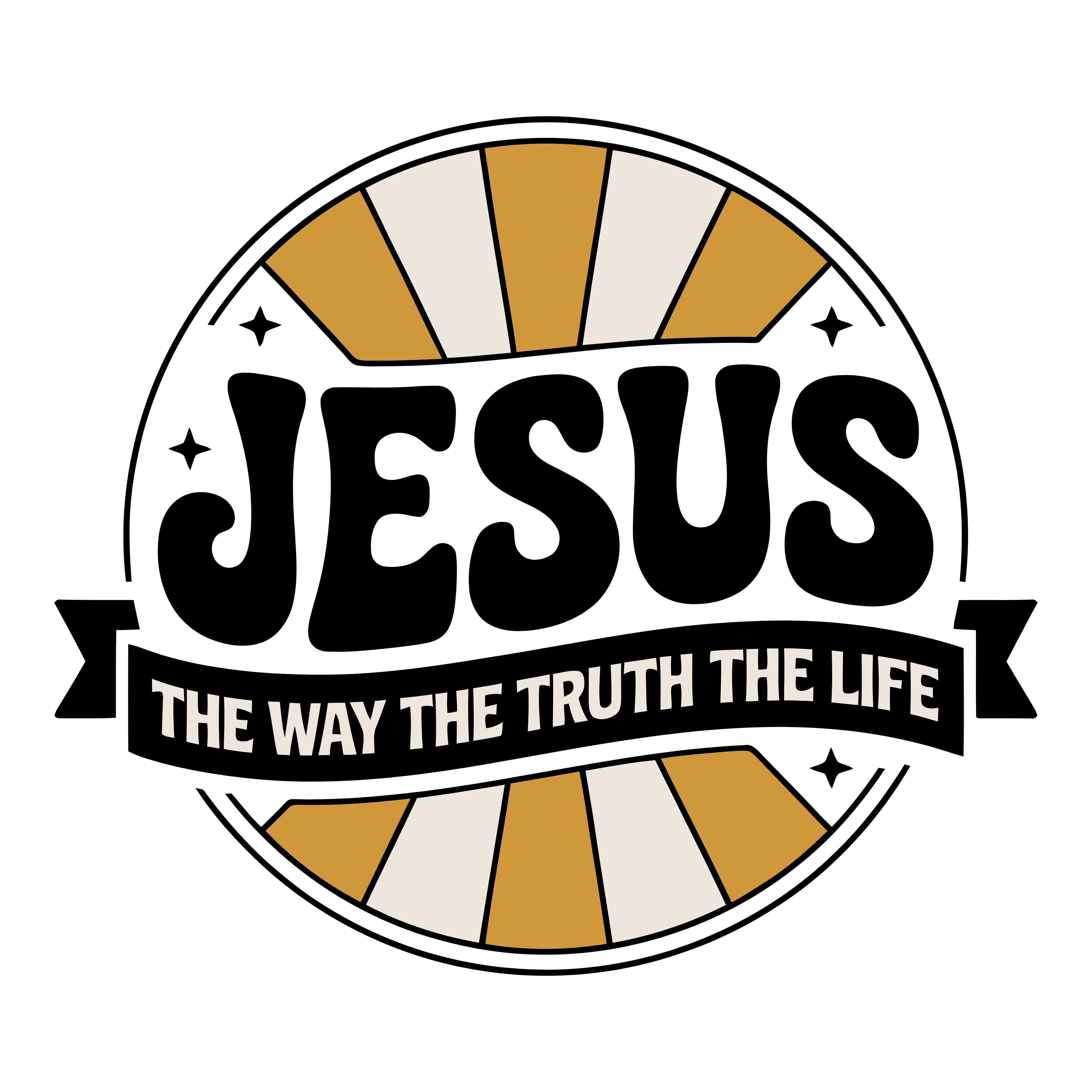
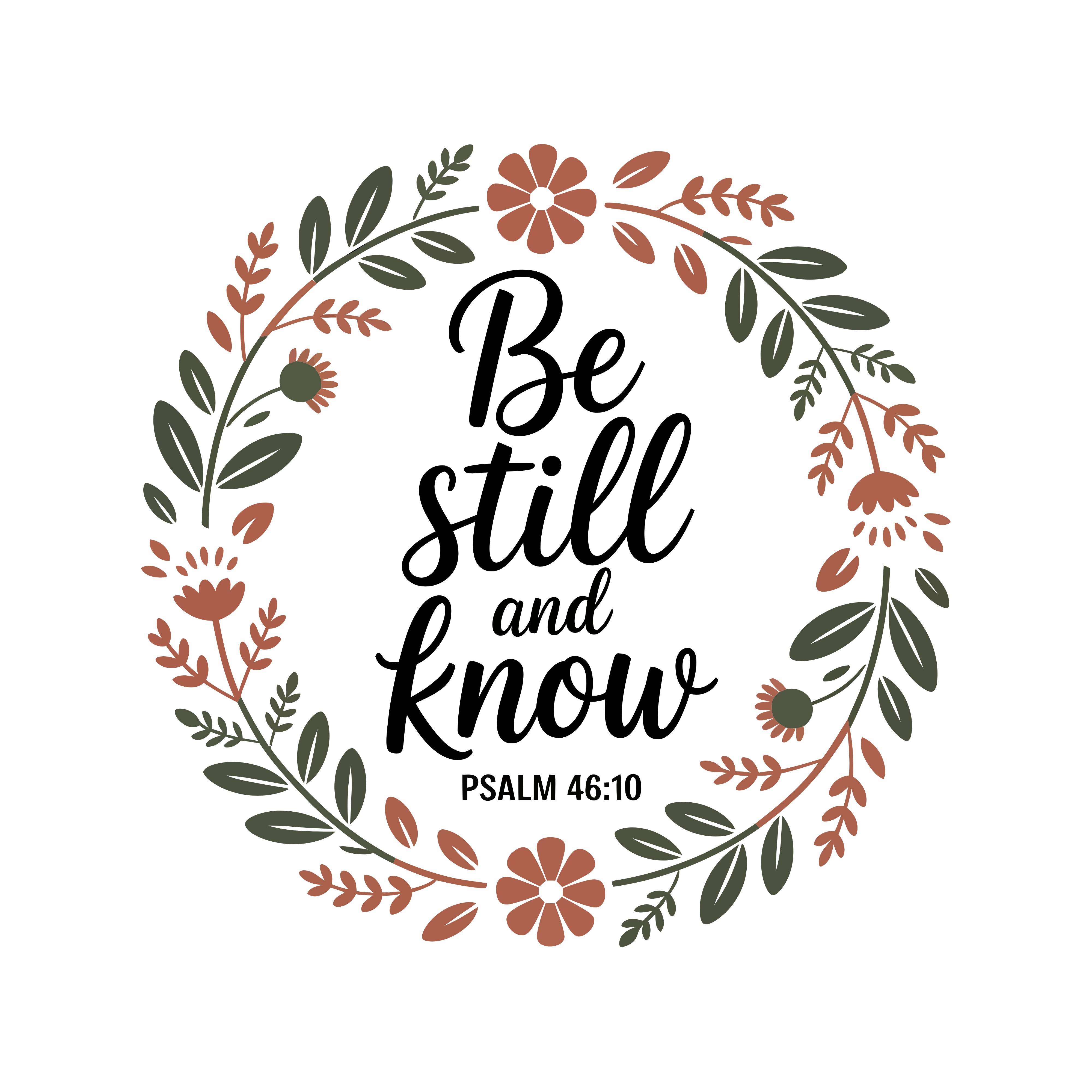
If a design has a misspelled word, regenerate it. One more $0.04 attempt is cheaper than listing a flawed product.
Step 4: Vectorize with VectorMagic
This is where PNG becomes SVG. Etsy buyers need vector files for Cricut, Silhouette, and laser cutters. A PNG alone won’t cut it.
VectorMagic (ad) is the best tool for this. Here’s the step-by-step:
1. Upload your PNG
Drag your generated image into VectorMagic. The desktop version handles batch processing. The online version works for single files.
2. Choose the right preset
Select “Logo / clip art” mode (not “Photo”). Your t-shirt design is flat colors with hard edges, not a photograph.
3. Set your color count
This is the most important setting. Count the actual colors in your design. Our examples use 3 (off-white, charcoal, blood red). Set VectorMagic to exactly 3 colors. More colors = messier vectors. Fewer = lost detail.
4. Review the vector output
Zoom in on text edges. Every letter should have clean, closed contours. Check:
- Are letter counters (the holes in O, D, A, B) properly cut out?
- Are thin strokes (serifs, script flourishes) preserved?
- Are small details (stars, decorative elements) still recognizable?
5. Download the SVG
Export as SVG. Also export as EPS if you want to include it in your bundle (some buyers prefer EPS for Illustrator).
Quality check in Inkscape
Open the SVG in Inkscape (free). Select all paths. Check that:
- No stray paths or artifacts outside the design area
- Text paths are closed (no open endpoints)
- Colors match your original (VectorMagic occasionally shifts tones slightly)
For the full VectorMagic tutorial with screenshots, see their official guide.
Free alternative: Inkscape auto-trace
Inkscape has a built-in “Trace Bitmap” function. It works for simple designs but struggles with text. If you’re testing the workflow before committing to VectorMagic, it’s a reasonable starting point. Expect to spend more time cleaning up paths manually.
Step 5: List on Etsy with Optimized SEO
Your listing needs to be findable. Etsy’s search algorithm weighs titles and tags heavily.
Title formula (140 characters max)
Put the primary keyword first. Then add modifiers:
Streetwear Typography T-Shirt Bundle | 5 Urban Vector Designs SVG PNG | Retro Badge Street Style | Cricut Silhouette Cut Files
13 tags (20 characters each)
Pull these from competitor analysis. The top keywords from our 30-listing scrape:
- streetwear svg
- typography tshirt svg
- urban design bundle
- retro badge svg
- grunge tshirt design
- cricut svg bundle
- sublimation png
- pod tshirt design
- vintage tee svg
- skull badge svg
- stacked type design
- streetwear bundle
- svg cut file
Pricing strategy
- Launch: €2.99 for the first 50 sales (builds reviews and ranking)
- Retail: €4.99 after reviews are established
- Rationale: €1 per design feels fair to buyers. The scan median of €3.84 confirms this price range works.
If you’re listing on Etsy and want AI-generated tags and titles, AutoKeyWorder’s free tool (ad, own product) can help with metadata optimization.
What to Expect: Month 1 to Month 6
Month 1 is slow. Maybe 0-5 sales across your first few listings. Don’t panic. Etsy’s algorithm needs data to know where to rank you.
Month 3 is where it starts working. With 10+ active listings across different niches, you’ll see consistent daily views. Each listing is a separate search entry point.
Month 6 is compound interest. Your best-performing designs get promoted by Etsy’s algorithm. New buyers find them through search, related items, and Etsy’s email recommendations. Revenue per listing per month is small (€1-5), but multiply by 50+ listings and it adds up.
The key: keep listing. One batch per week. Five designs, 30 minutes, under $1 in production costs. The portfolio compounds.
Frequently Asked Questions
Can I sell AI-generated designs on Etsy? Yes. Etsy allows AI-generated content. You must disclose that designs are AI-generated in your listing description. Some buyers specifically search for AI-generated SVGs because the variety and turnaround time beats traditional design. Check Etsy’s current seller policy for the latest disclosure requirements.
What file format do t-shirt SVGs need to be? SVG is the primary format. Include PNG (for buyers who want to print directly) and EPS (for Illustrator users). The SVG must have clean closed paths for Cricut and Silhouette compatibility. VectorMagic handles this well. Inkscape auto-trace requires more manual cleanup.
How many designs per bundle? 3-5 for premium bundles (€2.99-4.99). 10-20 for value bundles (€4.99-9.99). T-shirt designs work better as smaller premium bundles because each design is a standalone product. Icon bundles need volume to justify the price.
Do I need a VectorMagic subscription? The online version offers limited free conversions. For production work (5+ designs per week), the desktop subscription ($9.95/month) pays for itself quickly. The alternative is Inkscape’s free auto-trace, which works but requires more manual path cleanup, especially on text-heavy designs.
How do I find what keywords Etsy buyers search for? Use eRank (ad) to see real Etsy search volume, trending terms, and competition scores. It shows what buyers type, not what sellers guess. Combine with Etsy’s own Search Term Explorer (Etsy+ required) for the deepest data.